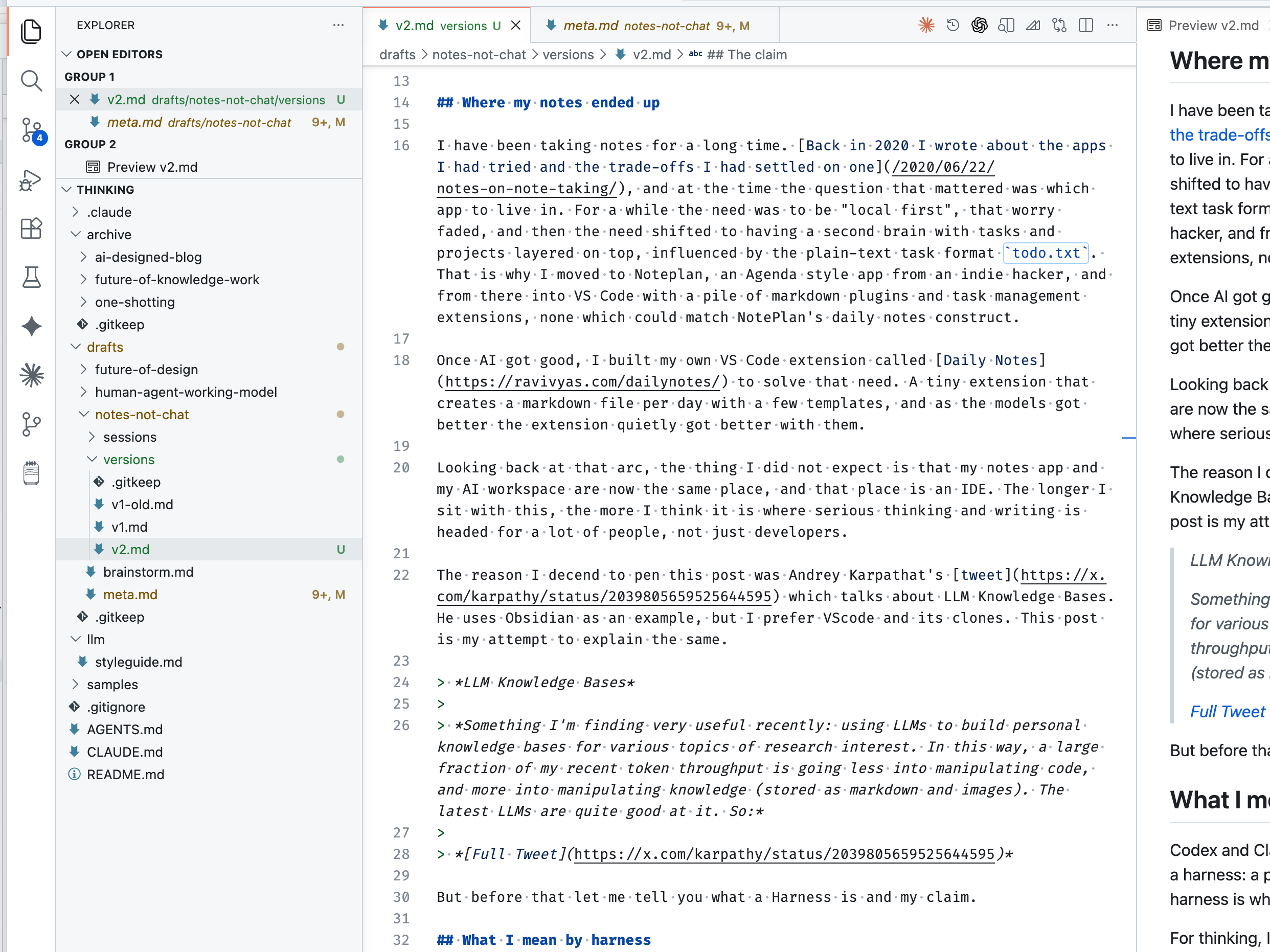
Where my notes ended up
I have been taking notes for a long time. Back in 2020 I wrote about the apps I had tried and the trade-offs I had settled on, and at the time the question that mattered was which app to live in.
For a while I cared a lot about being "local first". Then the need shifted. I wanted a second brain with tasks and projects layered on top, influenced by the plain-text task format todo.txt. That took me to NotePlan, an Agenda-style app from an indie hacker, and then into VS Code with a pile of markdown plugins and task management extensions. None of them really matched NotePlan's daily notes construct.
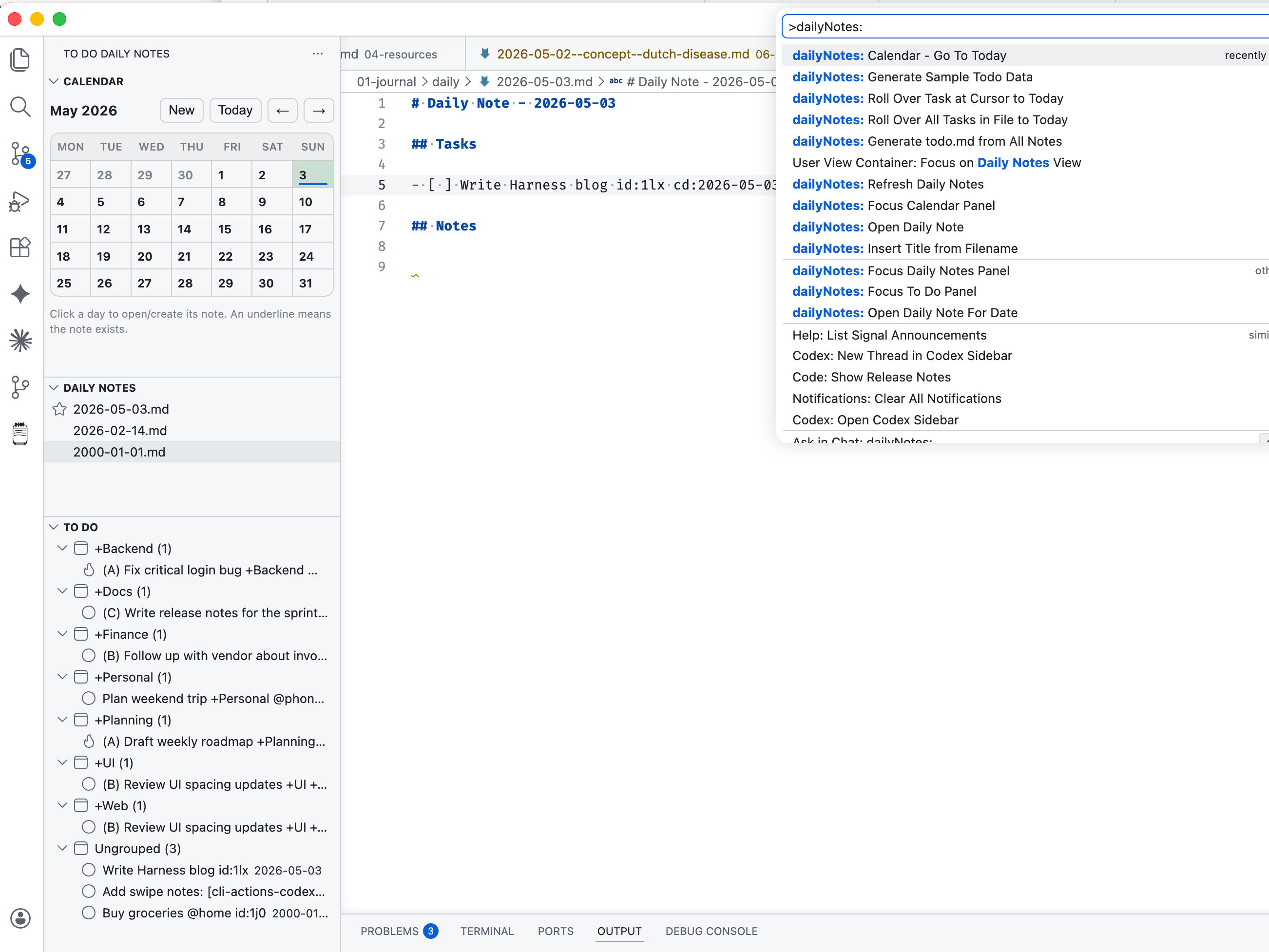
Once AI got good, I built my own VS Code extension called Daily Notes to solve that need. It is a tiny extension that creates a markdown file per day with a few templates. As the models got better, the extension quietly got better with them.
Looking back at that arc, the thing I did not expect is that my notes app and my AI workspace are now the same place, and that place is an IDE.
The reason I decided to write this post was Andrej Karpathy's recent tweet about LLM Knowledge Bases. He uses Obsidian as an example. I prefer VS Code and its clones. This post is my attempt to explain why.
Something I'm finding very useful recently: using LLMs to build personal knowledge bases for various topics of research interest. In this way, a large fraction of my recent token throughput is going less into manipulating code, and more into manipulating knowledge (stored as markdown and images).
Source: @karpathy
What I mean by harness
Codex and Claude Code are powerful because they do not live only in the chat. They live inside a harness: a project folder with files, tools, instructions, history, and feedback loops. That harness is what lets them act on thought instead of just talking about it.
For thinking and writing, a harness does the same job. It does not think for me, but it gives my thinking something to attach to: files, folders, drafts, context, instructions, history, and outputs. The IDE has become that harness in my own workflow because it gives both me and the agent a shared workspace.
The claim
Your primary AI workflow should be notes and files in an IDE, not a chat window.
I know how that sounds. I have spent the last two years using chat in a browser tab like everybody else, and it works well enough that moving the work somewhere else can feel like over-engineering.
The interface is not the problem. Chat is a good way for a human to instruct an agent. What chat-first products get wrong is the container around the conversation. The artifacts are stuck inside a thread, and the next session often starts with no usable memory of the work you already did.
Memory features help, but they are a workaround. You do not really control what gets remembered, how it gets used, or when it gets ignored. Move the same conversation into an IDE and both you and the agent can pick up tomorrow without a long recap.
This is what we already do with code, so it is strange that we have not extended the pattern to our thinking.
How my workflow evolved
The shift did not happen in a single moment for me. It happened in three rough stages, and I think most people who end up here will walk through something similar.
The first stage was AI as autocomplete for thoughts. Having the model finish sentences inside my own writing environment, on my own files, was the first time the chat box stopped feeling like the main event. The work was happening in the file. The model was helping me move faster through it.
The second stage was structured, multi-file work. The agent would read a bunch of my notes and write back across several files at once: a plan file, an open questions file, a structure file, a personas file. Once the output became a small folder of artifacts, the whole experience changed shape.
The third stage is where I am now. Chat is how I talk to the agent, but files are the artifact. When I start a post I give a small note to a skill that scaffolds the folder and creates the files for me. When I come back later there is no thread to scroll through, just a brainstorm.md, a meta.md, a folder of session logs, and a set of versions.
Any agent I open inside that folder inherits the work without me re-explaining it. At this point the agent is doing most of the typing, and I am mostly giving instructions, feedback, and taste.
Why files do better than chat
The simplest reason is persistence, which connects directly to the human context rot problem I wrote about a few months ago. A thread is ephemeral by design, but the thinking it produces should not be.
Threads also resist organization. You can drop them into a project, but a project is a weak grouping. When we write code we structure it into folders like src, tests, and docs. When we organize files on a computer we use folders like downloads, documents, and photos. Threads do not give you that affordance, and the lack of structure makes them harder to come back to and harder to reason about.
Files also give you a non-linear workspace. A thread can only be read top-to-bottom, but a folder with plans, questions, structure, and research lets me work on each piece independently and lets the agent reason about them as separate artifacts.
In my experience the quality of what comes back is higher when the input is structured this way, probably because the agent has more to grip on than a stream of conversation. The output also lands in a shape I can act on, instead of as a wall of text I have to mine for the parts I want.
The deeper reason is that the agent itself works better in files. The things people are calling "skills" are really just files that encode judgment in a form the agent can read every time. That kind of durable, reusable instruction has nowhere natural to live inside a chat window.
The second brain that serves two masters
The thing that actually surprised me, once I had been working this way for a while, is that the notes I write for myself and the context I provide to the agent are the same artifact.
The notes are a second brain for me, in the classic sense. They are durable and structured, and I keep returning to them. They are also the context layer for the agent. When the agent reads my notes it inherits a lot of how I think, what I have already considered, what is in scope, and what is not.
The feedback loop is what makes the whole thing work. The agent expands the second brain by writing plans, questions, drafts, and research, but it does that within the structure I have set up: the folders, the naming conventions, the intent documents. I am the architect, the agent is the builder, and neither of us does well alone.
Why VS Code, specifically
This is the part where I expect the most pushback, because it sounds like I am picking a side in an editor war. I am, for now at least, but for a reason that has very little to do with the editor itself.
VS Code, and the forks built on top of it like Cursor and Windsurf, win by default for this kind of work because the frontier model companies are already plugged into the ecosystem. OpenAI ships Codex, Anthropic ships Claude Code, Google ships Gemini, GitHub ships Copilot, and all of them have strong reasons to keep investing in developer workflows.
Every improvement to those integrations widens the gap between an IDE workspace and a note-taking app that bolts an agent on top.
The compounding advantage is that I can have Claude Code, Codex, Gemini, and Copilot all working on the same project, on the same files, in different tabs. A third-party note-taking tool will most likely be locked to whichever model the founder decided to integrate. Even if it routes through something like OpenRouter, it is still clunkier than opening another tab inside the IDE.
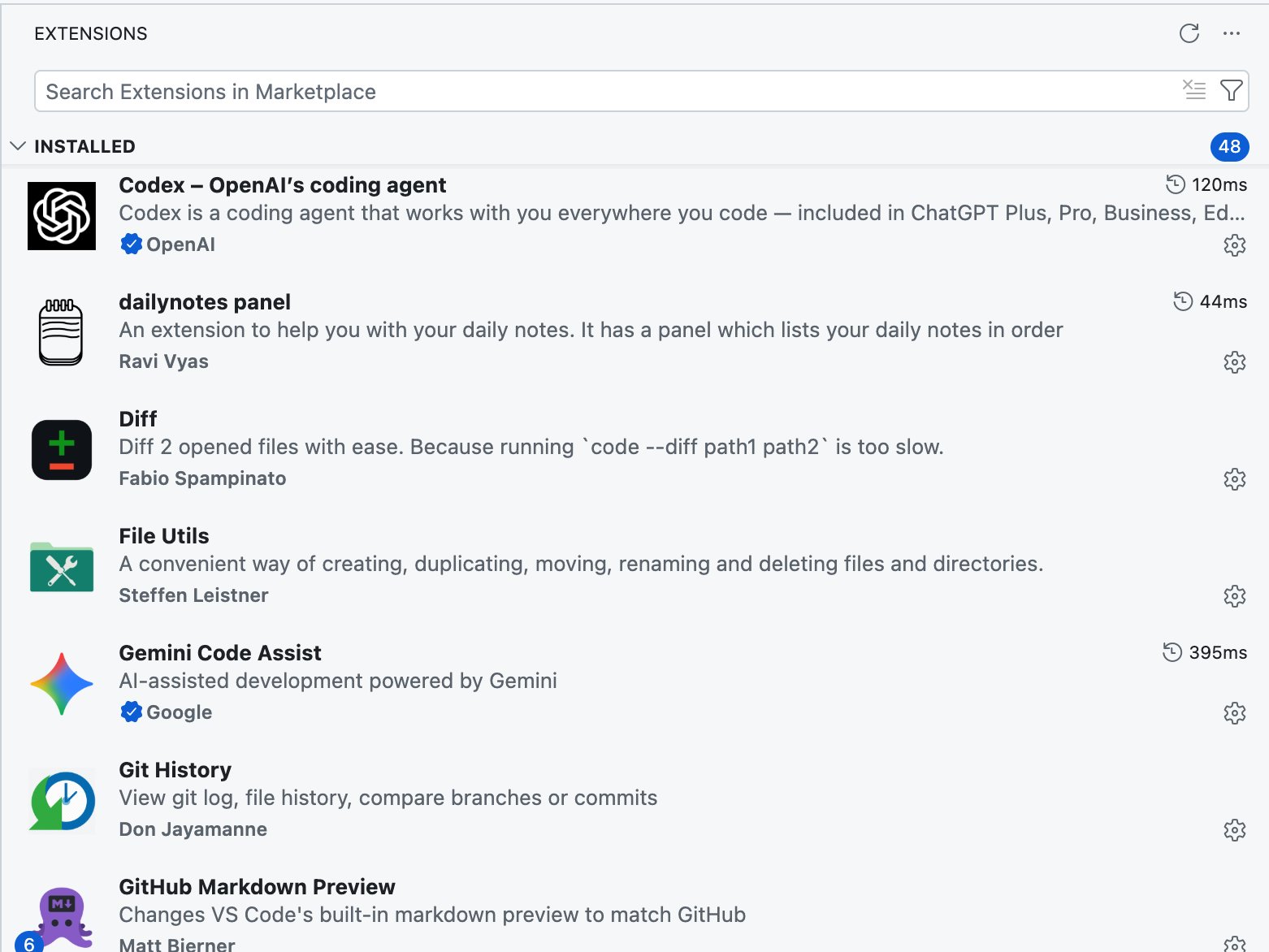
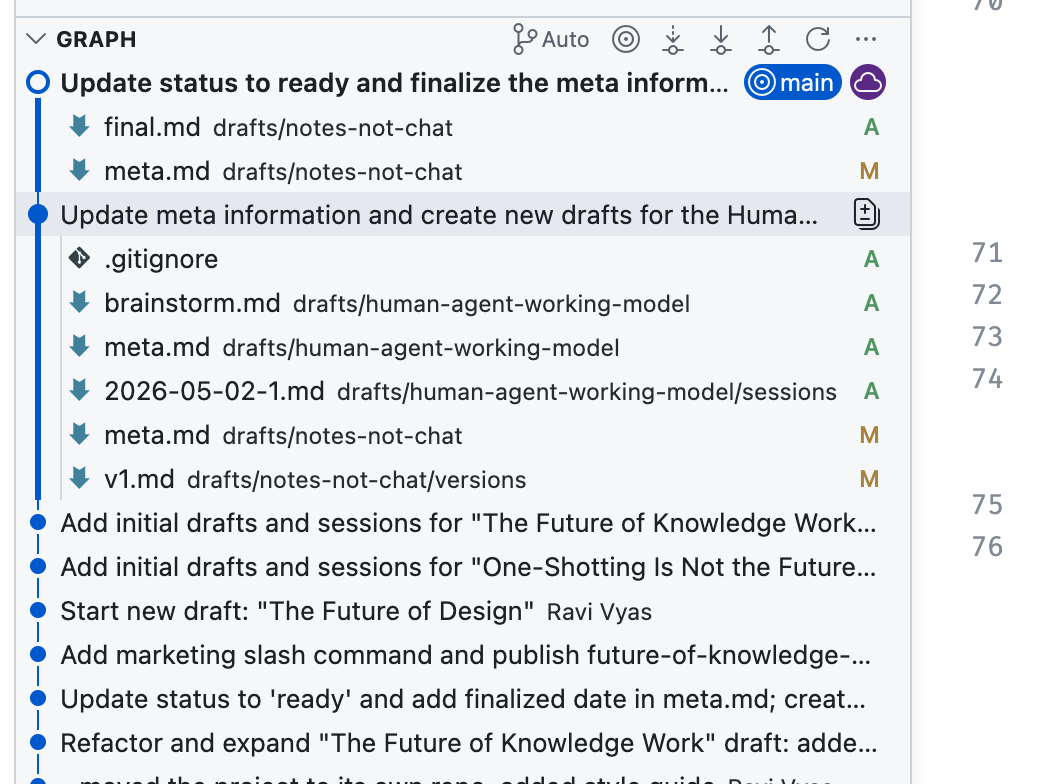
There is one more thing nobody seems to talk about, which is native version control. Git lets me track the evolution of my second brain over time. GitHub outages aside, it is also the best way I have found to back up my content and keep a real history of it.
Note-taking apps treat history as an afterthought, but in an IDE it is foundational. Once you have used Git on your own thinking, you do not really want to go back. A bonus with Git is the ability to load the same repo in Codex or Claude Code on mobile for one-off tasks.
This is also why tools like Obsidian and Notion never fully worked for me. Obsidian gets close with local markdown files and plugins, but it still lacks the depth of AI integration that VS Code and its forks already have.
But IDEs are for developers, right?
When people ask what an "IDE for non-developers" looks like, my honest answer is that it is probably not a new app. It is VS Code with a different framing, the right extensions, and a few conventions for non-code work, because the harness already exists if you stop treating it like a code editor.
The honest obstacle to telling a non-developer to open VS Code is that it looks like a code editor, and that is genuinely intimidating if you have never written code. The unlock is the framing. In this context it is a thinking workspace, the same way you would frame a notebook or a whiteboard.
The path I have been trying with a few people goes roughly like this. Start by using it for nothing but notes. Ignore every other capability of the IDE. Keep a folder of markdown files, maybe with Daily Notes as a starter structure.
Once that feels comfortable, bring in an agent and start interacting with it through the notes themselves. Build up a few skills and workflows along the way. Only after that does it make sense to learn the rest of the ecosystem.
What this looks like for you
If any of this lands, the smallest useful version of the workflow is simple:
- Pick a folder.
- Put your notes in it.
- Open it in VS Code or one of its forks.
- Install one agent extension.
- Talk to that agent through your files instead of through a chat window.
- Put the folder under Git so you have a history of how your thinking has moved.
Everything beyond that, the skills, the workflows, the multi-pane hacker terminal feel, comes naturally once the basic setup is in place. The chat window does not go away, but it stops being the place where the actual thinking lives.
Advanced use cases
Once the basic harness is in place, more powerful patterns emerge naturally.
- For market research I create folders like
players/,stats/,news/, andraw-data/. A single skill can take multiple URLs or files as input, read them, and write summaries into the right folders. - My writing workflow is scaffolded by a skill that creates a fresh folder with
brainstorm.md,meta.md, anddraft.md. Another skill can read all three files together and produce a new draft; a third archives the finished piece into a separate folder once it ships, so the working directory only ever shows what is still in flight.
That is the part I keep coming back to. The interesting change is not that AI can write in a chat box. We already know that. The interesting change is that the workspace around the AI can become a thinking system, with memory, structure, history, and taste built into it.
Maybe the future second brain is not a prettier notes app. Maybe it is a repo.